Top 6 remote proctoring software solutions
1. Think Exam
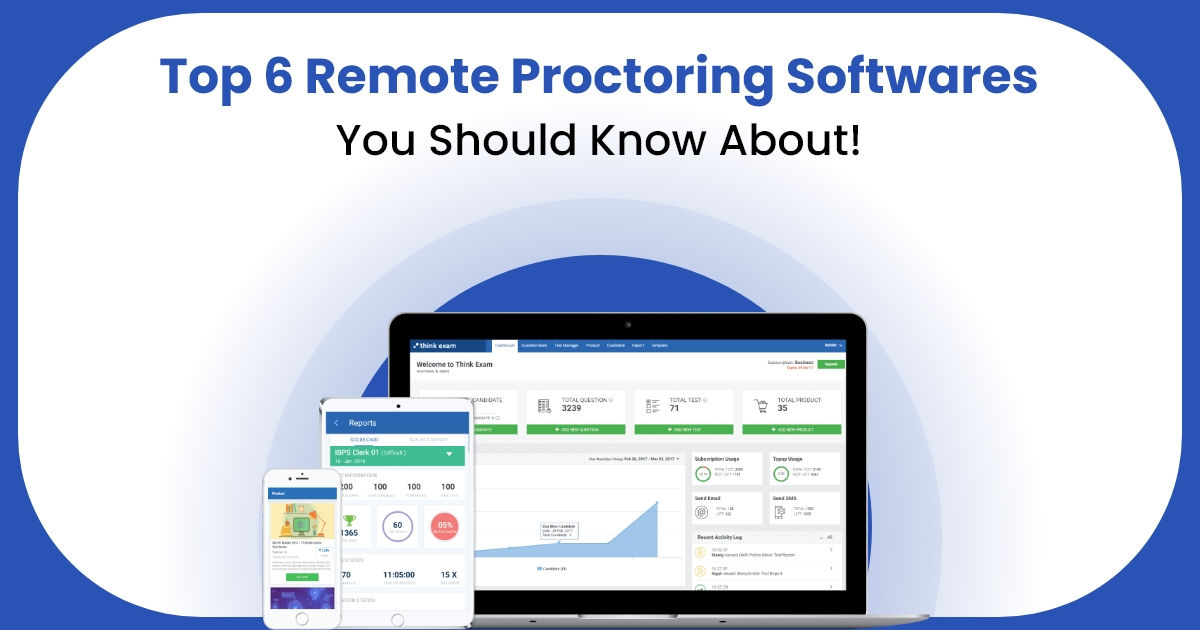
Overview: Think Exam is a comprehensive remote proctoring and exam management platform designed to cater to educational institutions, certification bodies, and corporations. Its user-centric features make it a powerful tool for ensuring fair and secure online assessments. Key Features:- AI-powered proctoring that detects anomalies such as eye movement and background noise.
- Real-time live proctoring with instant interventions.
- Integrated exam creation tools for seamless assessment management.
- In-depth analytics and reporting for detailed post-exam evaluations.
2. Prometric
Overview
Prometric is a global provider of secure computer-based testing solutions for certification, licensing, academic, and professional exams.
Key Features
- Computer-based testing (CBT)
- Remote proctoring
- Global test center network
- Identity verification
- Secure exam delivery
- Exam scheduling and reporting
Why It Stands Out
Prometric is trusted worldwide for delivering secure, high-stakes exams through its global testing network and advanced exam security features.
- 360-degree remote proctoring for a complete view of the test environment.
- Options for live proctoring, automated proctoring, and hybrid solutions.
- Detailed logs and flagged events for post-exam analysis.
- Easy integration with various learning management systems (LMS).
4. Pearson VUE
Overview
Pearson VUE is a leading computer-based testing platform that delivers secure certification, licensure, and professional exams through test centers and online proctoring.
Key Features
- Global test center network
- Online proctoring
- Secure exam delivery
- Identity verification
- Scheduling & reporting
Why It Stands Out
Pearson VUE is trusted worldwide for its secure, scalable testing solutions and extensive network, making it ideal for high-stakes certification and professional exams.
- AI-powered webcam monitoring to record and flag suspicious activity.
- Prevents access to unauthorized websites, applications, or devices during exams.
- Offline compatibility to support exams in low-connectivity environments.
6. Honorlock
Overview: Honorlock simplifies remote proctoring with its easy-to-use, cloud-based platform. It’s designed for scalability and works well across various educational and professional use cases. Key Features:- AI-powered proctoring with voice detection to catch unauthorized conversations.
- Integration with LMS platforms and web browsers.
- User-friendly setup requiring minimal IT support.
Which Remote Proctoring Software Is Right for You?
Choosing the right proctoring software depends on your specific needs. Platforms Think Exam is perfect for organizations seeking a full-fledged assessment suite, advanced security measures. Each of these solutions ensures integrity, enhances user experience, and maintains fairness in online assessments.Ready to secure your online exams?
Explore Think Exam’s innovative proctoring and assessment solutions today and elevate your testing experience!Conclusion
Choosing the right remote proctoring software is essential for conducting secure, fair, and reliable online exams. While different platforms offer unique capabilities, the best solution is one that combines advanced proctoring with complete exam management. Think Exam brings everything together in a single platform, including AI-powered proctoring, secure browser support, customizable assessments, automated evaluation, and detailed analytics. Whether you’re a university, coaching centre, certification provider, or corporate organization, Think Exam helps you deliver seamless online exams while maintaining the highest standards of exam integrity.
FAQ’s
Which is the best remote proctoring software for online exams?
The best remote proctoring software depends on your needs. Look for AI-powered monitoring, secure browser support, identity verification, live proctoring, and detailed analytics. Platforms like Think Exam combine these features with complete exam management for secure online assessments.
Which remote proctoring software is best for universities?
Universities should choose remote proctoring software that offers AI monitoring, secure browser technology, scalable exam delivery, and detailed reporting. These features help conduct fair and secure online examinations.
What features should the best remote proctoring software have?
The best remote proctoring software should include AI proctoring, live monitoring, browser lockdown, identity verification, question randomization, exam analytics, and seamless LMS integration.
How do remote proctoring tools prevent cheating during online exams?
Remote proctoring tools prevent cheating using AI-powered monitoring, webcam and microphone analysis, browser lockdown, identity verification, and real-time detection of suspicious activities.
Is AI-powered remote proctoring better than live proctoring?
AI-powered remote proctoring automates exam monitoring and scales easily, while live proctoring provides human oversight. Many organizations use a combination of both for enhanced exam security.
How do I choose the right remote proctoring software?
Choose remote proctoring software based on security, AI capabilities, scalability, ease of use, reporting, integrations, customer support, and compatibility with your exam requirements.
Which remote proctoring software is best for certification exams?
Certification providers should select software with AI proctoring, secure browser support, identity verification, and reliable exam monitoring to ensure the integrity of high-stakes assessments.
Can remote proctoring software support large-scale online exams?
Yes. Modern remote proctoring software is designed to monitor thousands of candidates simultaneously while maintaining exam security and system performance.
Why do organizations use remote proctoring software?
Organizations use remote proctoring software to conduct secure online exams, reduce cheating, verify candidate identity, automate monitoring, and improve the overall assessment process.
Which remote proctoring software offers AI-powered exam security?
Several remote proctoring platforms provide AI-powered exam security with features like browser lockdown, identity verification, live monitoring, and automated incident detection. Choosing a solution depends on your assessment needs and security requirements.