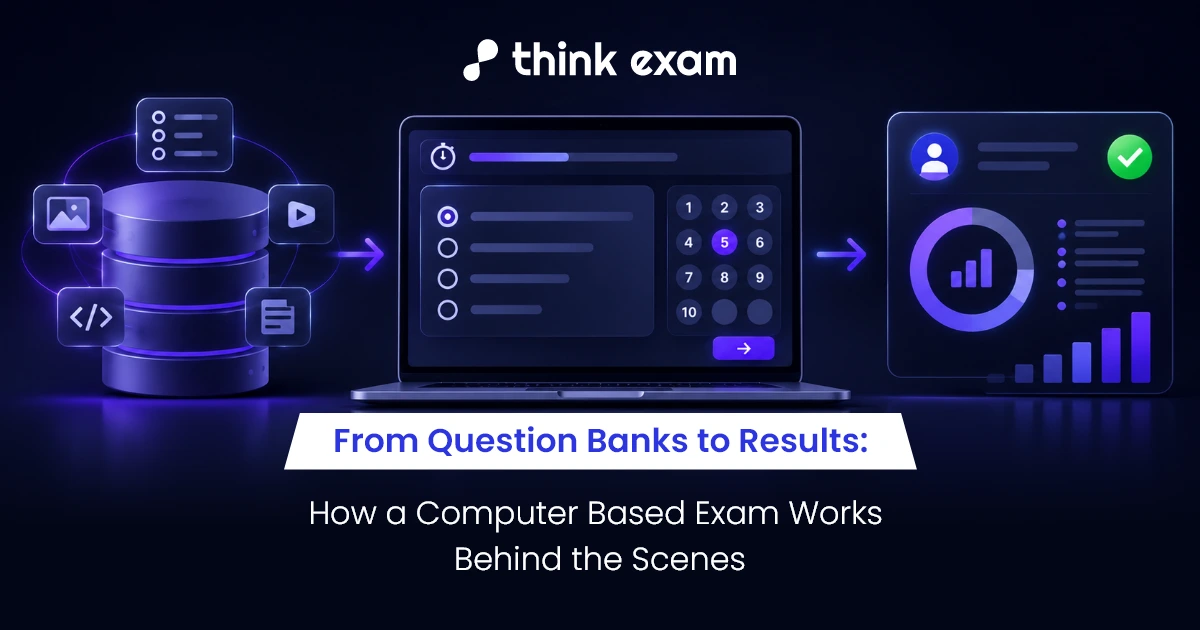
Candidates see a login screen, a countdown timer, and a set of questions. But before an exam begins, and after the last answer is submitted, a lot happens in the background.
A computer based exam relies on several connected processes to make sure the right questions reach the right candidates, responses are recorded correctly, and results follow the exam rules.
Here’s a look at what happens behind the screen.
1. It Starts With the Question Bank
Before an exam can be scheduled, its questions need to be created, checked, and organised.
Exam administrators typically:
- Add questions by subject, topic, or difficulty.
- Assign marks and configure answer keys.
- Review questions for accuracy and clarity.
- Organise approved questions into a question bank.
For a large CBT test, this preparation helps administrators create different assessments without rebuilding every question paper from scratch.
Behind the scenes: Question permissions, review processes, and version tracking help keep exam content organised and reduce the risk of unapproved changes.
2. The Exam Is Set Up
Once the questions are ready, administrators configure how the test will run.
This may include:
- Duration: How long candidates have to complete the exam.
- Question selection: Which questions appear in a particular test.
- Marking rules: How correct, incorrect, or unanswered questions are scored.
- Navigation: Whether candidates can revisit questions or mark them for review.
- Access settings: When candidates can enter and begin the assessment.
These settings determine how the computer based test works for every candidate. Testing them before launch helps prevent avoidable confusion during the actual exam.
3. Candidates Log In
On exam day, the system needs to connect each candidate to the correct assessment.
Depending on the exam setup, the process may involve:
- Login and authentication: The candidate enters their credentials or completes the required identity checks.
- Eligibility verification: The system checks whether the candidate is authorised to take the exam.
- System checks: Device, browser, or other technical requirements are checked where applicable.
- Exam access: The candidate enters the test when the permitted start conditions are met.
For remote online exams, additional measures such as proctoring or a secure browser may be used according to the examination’s security requirements.
4. Questions Appear and Responses Are Recorded
Once the test begins, the platform delivers questions according to the configured rules.
While the candidate works through the exam, the system may:
- Display questions and answer options.
- Record selected answers and changes.
- Track the remaining time.
- Save responses according to the platform’s design.
- Manage question navigation and review options.
The interface should be easy to use, and the system should handle interruptions predictably.
For example, if a candidate loses connectivity during a remote test, the platform’s recovery process should define what happens when they reconnect. The exact behaviour depends on the system and exam configuration.
5. Security Checks Continue During the Exam
Security doesn’t stop once a candidate logs in. Depending on the requirements, controls can include:
- Secure browser restrictions: Limit access to specified applications or websites.
- Proctoring: Monitor activity and flag events that may need review.
- Access controls: Protect examination content and administrative functions.
- Activity records: Help authorised teams investigate relevant incidents.
These measures serve different purposes. A secure browser restricts certain digital actions, while proctoring helps monitor activity. Neither guarantees that every form of misconduct will be prevented or detected.
6. Submitted Answers Become Results
When candidates finish, their responses move into the evaluation process.
For objective questions, the system can apply configured answer keys and marking rules automatically. Other question types may require manual evaluation or a separate review process.
Before results are released, administrators may need to:
- Verify answer keys and scoring settings.
- Review disputed questions or flagged incidents.
- Check incomplete or exceptional submissions.
- Confirm that results have been processed correctly.
- Approve the release of results to candidates.
Automated evaluation saves time, but accuracy still depends on correct configuration and validation.
7. Records Help Explain the Outcome
The process doesn’t necessarily end when results are published.
A computer based exam platform may retain records that help administrators understand how the assessment was conducted, including:
- Candidate responses and scores.
- Exam timings and submission records.
- Relevant activity logs and security alerts.
- Evaluation records and available audit trails.
The information available depends on the platform, its settings, and data-retention policies. When a result is questioned, these records can help authorised staff investigate the issue.
What Happens Behind the Screen Matters
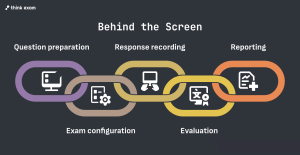
A computer based exam may look simple from the candidate’s side, but its reliability depends on several processes working together—from question preparation and exam configuration to response recording, evaluation, and reporting.
For institutions running frequent or large-scale assessments, a connected system can make these stages easier to coordinate. Think Exam supports different parts of the examination workflow, with features configured to suit the exam’s format and requirements.
Candidates see the questions. Behind them, a coordinated process helps keep the examination organised, accurate, and secure.